
PL EN
JNL Software logo JNL Software specialized software for institutions
Document audits • DOCX / XLSX / ODT / PDF • 2026 line
Current version: 2026.1.4

WCAG Auditor 2026. One platform for auditing, repair workflows and document reporting.

Built for teams that want to assess documents systematically, not case by case. One launcher, four modules, WCAG 2.1 / 2.2 / WCAG2ICT compliance profiles, a repair center and reports ready for operational use.
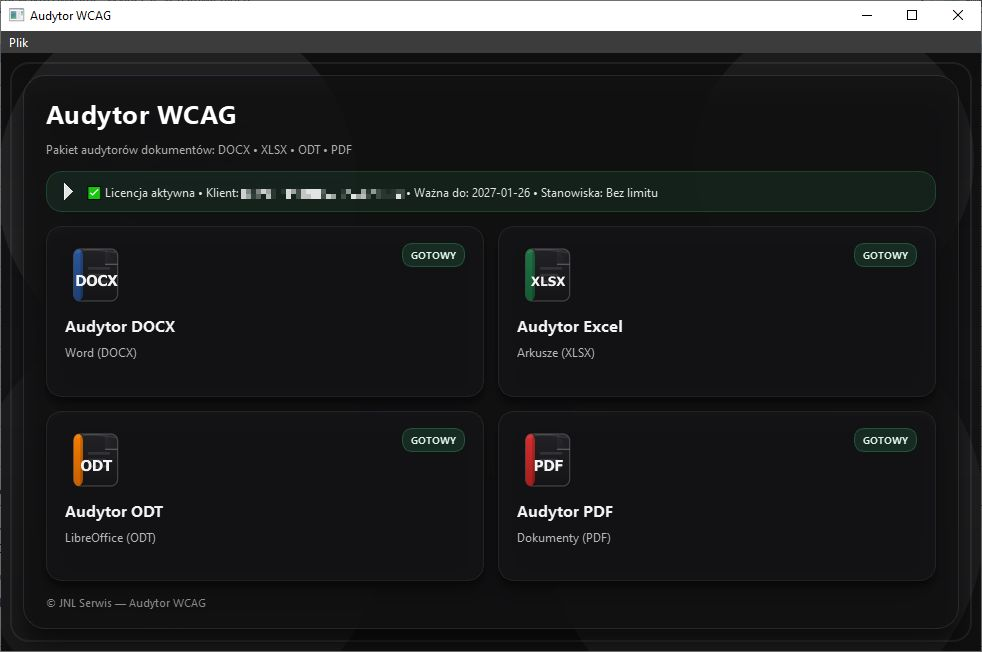
4 formats in one suiteDOCX, XLSX, ODT and PDF with format-specific checks and repair paths.
3 compliance profilesWCAG 2.1 AA, WCAG 2.2 AA and WCAG2ICT 2.2 depending on the workflow.
From audit to remediation planReports, repair workflows and batch audits for whole document folders.
Licensing and updates are delivered through the License portal.
Product preview • Launcherdesktop application
Screenshot: WCAG Auditor launcher

Why this feels like a professional-grade product

It is not just a list of issues. It is a mature working suite for analysis, remediation planning, repair support and reporting in institutional environments.

One suite for 4 formats

One launcher and one consistent workflow for DOCX, XLSX, ODT and PDF. That makes deployment and daily use easier across teams.

Analysis + repair + reporting

The product does not stop at finding issues. You also get repair guidance, remediation workflows and reports that are ready to pass on.

Institution-ready in practice

Built for documents published by administration, healthcare organisations, legal teams and institutions that need real, repeatable compliance work.

Note: the exact scope of checks varies by file format and by how the document was created, but the workflow and reporting model stay consistent.
Quick next-step selection

Demo, deployment or installer access — all from one clean decision point.

I want to see WCAG Auditor live

The best start if you want to assess modules, reports and the workflow on real documents.

I need a deployment / quote

For institutions and companies that want to organise their audit, reporting and document-remediation process.

I already have a license

Installers, updates and ongoing product delivery are available through the license portal.

product demo deployment and quote license portal
Product scope at a glance
DOCX • XLSX • ODT • PDFOne suite covering four key document formats used across institutional workflows.
WCAG 2.1 AA • WCAG 2.2 AA • WCAG2ICT 2.2Compliance profiles that can be matched to the file type and the way the document is published.
Reports • Repair wizard • Batch auditFrom a single document to whole folders, with work plans and PDF / CSV exports.
Automatic, semi-automatic and expert review paths combined into one workflow.

Auditor modules

Each format has its own checks and repair flow. That makes reports more relevant and helps teams move faster from detection to remediation.
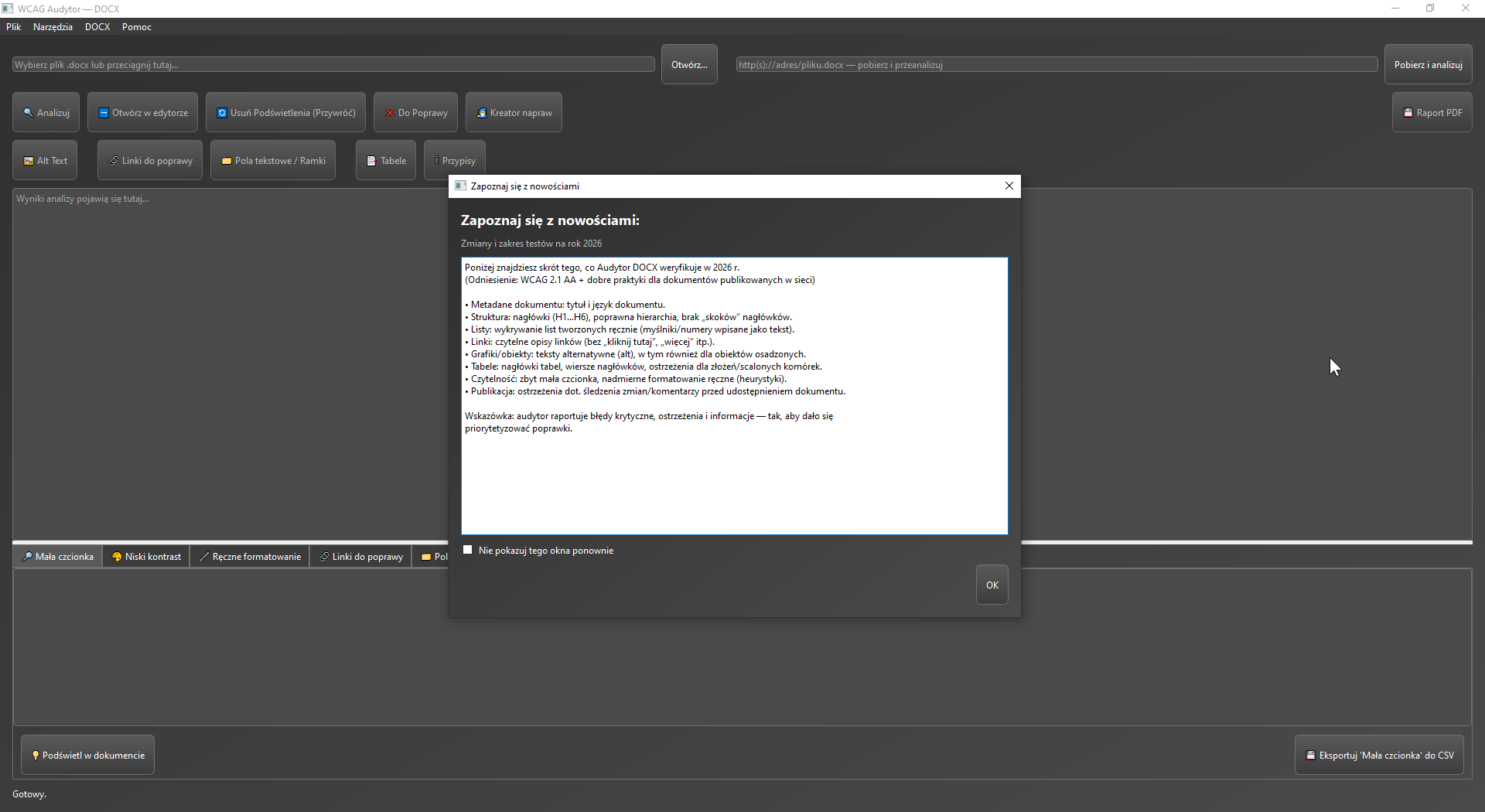
Screenshot: DOCX Auditor
DOCX (Word)

For source documents that need to leave the editing stage with proper structure, metadata and descriptions — without guessing what breaks accessibility.
  • Metadata: title, author, language and additional document properties.
  • Structure: H1, heading hierarchy, manual lists and hidden text.
  • Images and objects: missing, too long or duplicated alt text.
  • Tables: header rows, Repeat Header Row, descriptions and structure.
  • Links, bookmarks, footnotes, text boxes and manual formatting.
  • Repair tools: language, metadata, link activation and formatting cleanup.
document structuremetadatarepair tools
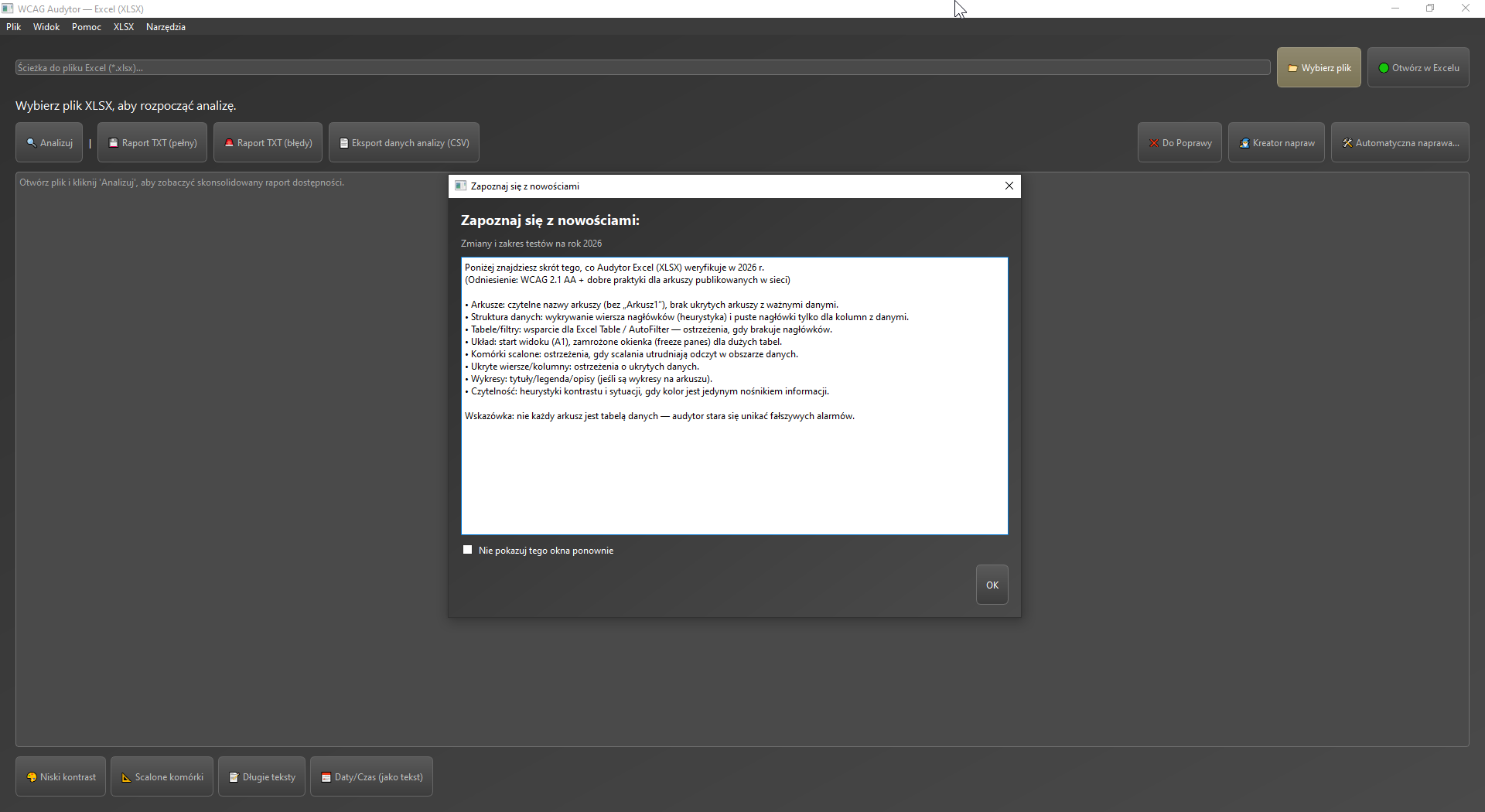
Screenshot: Excel (XLSX) Auditor
XLSX (Excel)

For spreadsheets that need to remain readable not only visually, but also logically — with proper headers, tables and a layout that supports users.
  • Sheet names and layout, hidden rows / columns and the A1 start cell.
  • Column headers, merged cells, auto-filters and table styles.
  • Dates and numbers stored as text, long values without wrapping.
  • Links, charts, images and placeholder alt text where technically possible.
  • “To fix” issue lists plus a dedicated remediation worksheet for teamwork.
  • Repair tools: unmerge, unhide, wrap, data types and freeze panes.
sheets and headersdata readabilityworksheet remediation
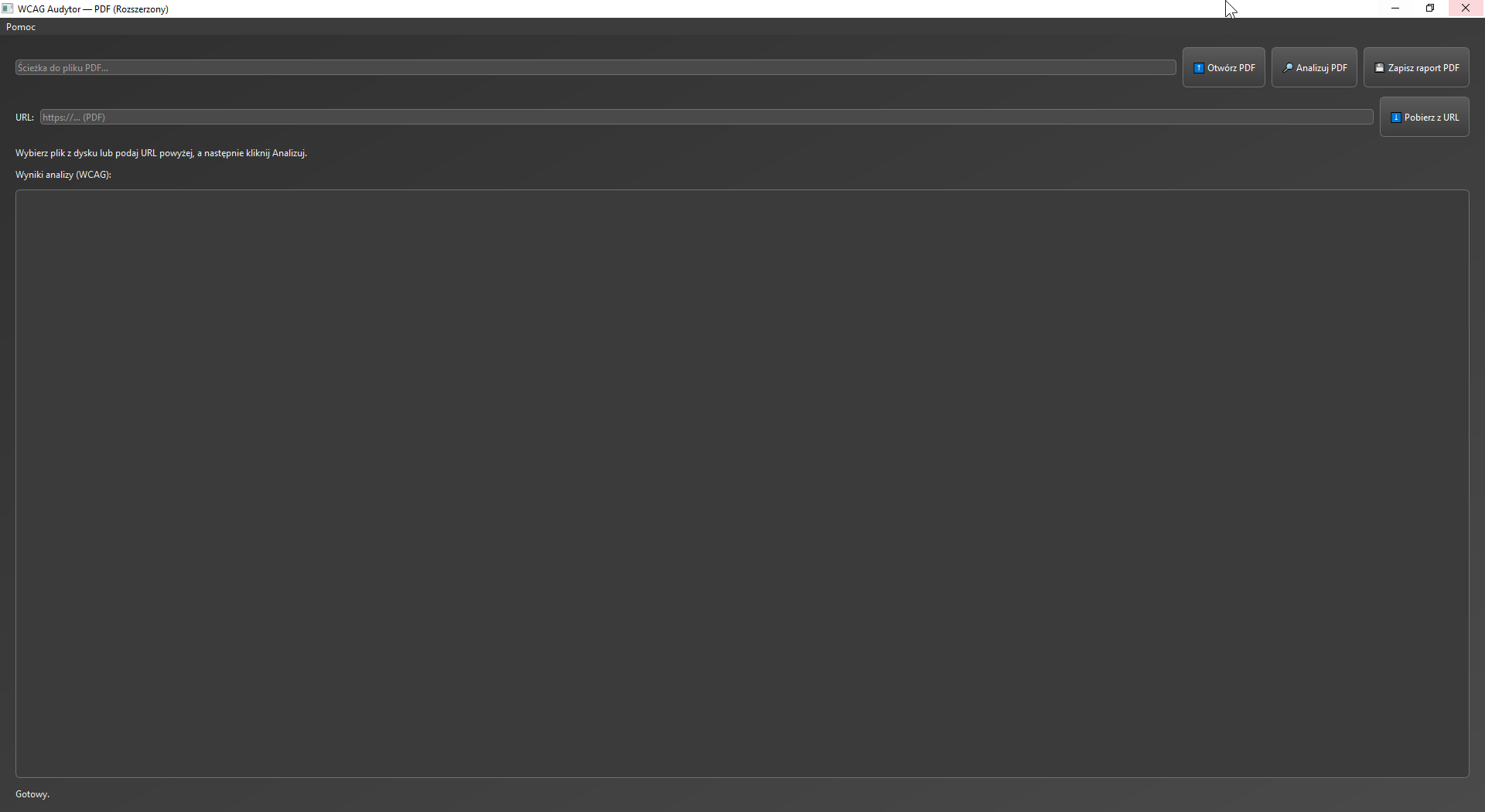
Screenshot: PDF Auditor
PDF

For final published files where teams need a fast view of structural risks, forms, bookmarks and situations that require an expert accessibility decision.
  • Metadata, title, author, language and heuristic structure checks.
  • Bookmarks, reading order, scanned-document detection and text extraction quality.
  • Links, image alt text, tables and forms with field names and labels.
  • Risk-oriented checks with clear guidance on what still needs manual review.
  • PDF reporting with compliance summary and a “to fix” section.
final publicationPDF formsrisk assessment
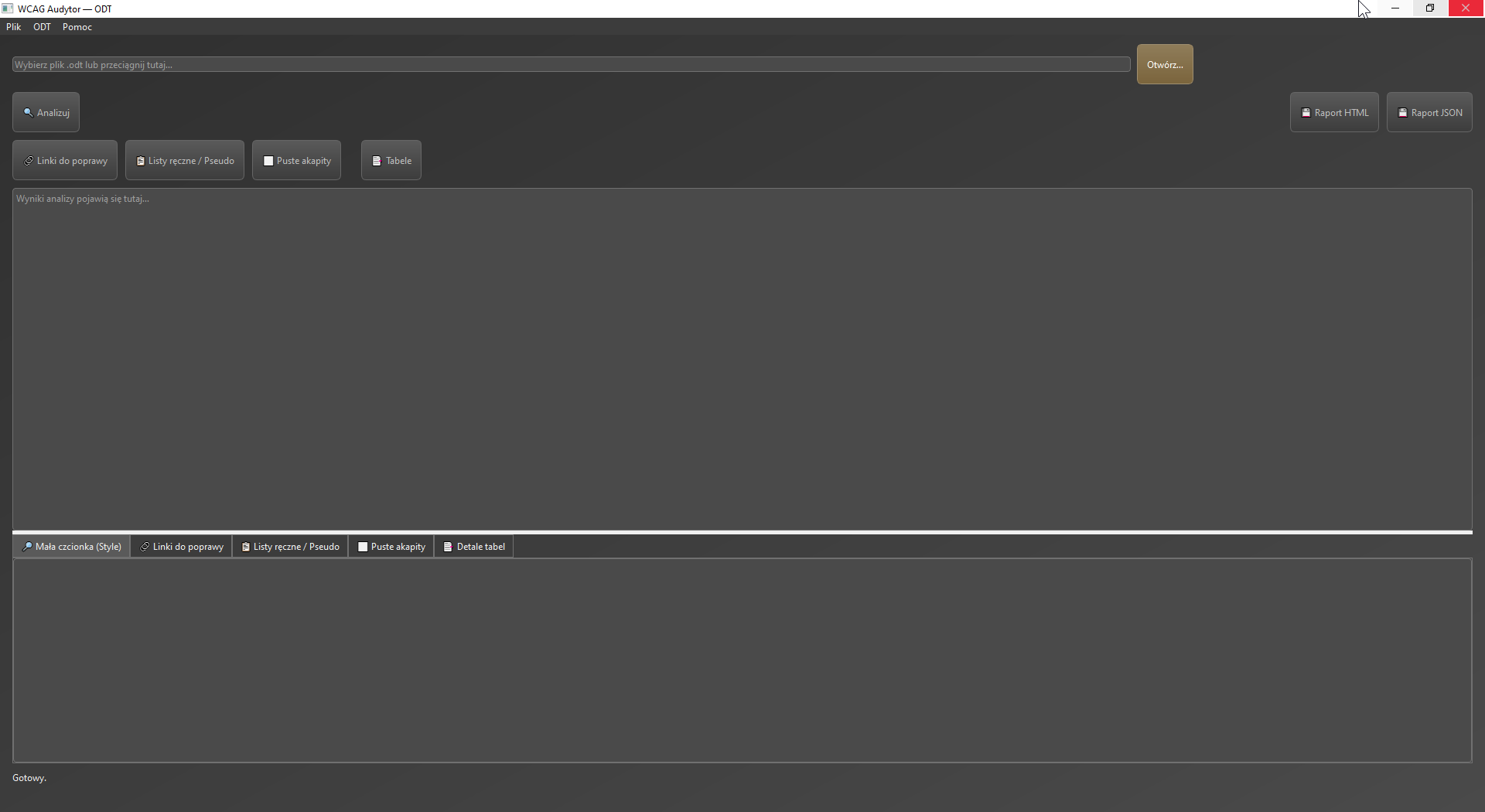
Screenshot: ODT Auditor
ODT (LibreOffice)

A strong differentiator for LibreOffice, ODF and Collabora environments — where many tools still offer much less practical support for ODT workflows.

  • XML-level analysis, metadata, headings, pseudo-lists and empty paragraphs.
  • Links, tables, images and frames with alternative-text checks.
  • Font size, spacing, style consistency and styles.xml validation.
  • An office-focused mode for ODF / LibreOffice / Collabora and guidance before exporting to PDF.
  • PDF plus HTML / JSON analytical exports.
LibreOffice / ODToffice-focused modeHTML / JSON export

Why it is strong operationally

WCAG Auditor structures the full workflow: from choosing the right compliance profile to building a remediation plan for one file or an entire folder.

Compliance profilesWCAG 2.1 AA, WCAG 2.2 AA and WCAG2ICT 2.2 with profile-selection guidance and a criteria map.
Repair centerIssue description, related WCAG criterion, difficulty estimate and step-by-step remediation guidance.
Repair wizardPriorities, jump-to-problem flows, selected automatic fixes and exception handling.
Batch folder auditFile rankings, priorities, recurring issue summaries, work plans and exports for whole collections.
ReportingPDF and CSV exports for single documents, rankings and folder-wide audits.
Licensing and updatesBuilt-in licensing, activation cache, silent update checks and release notes inside the product.
Public administrationFor teams publishing procedures, regulations, forms and notices on official websites and BIP pages.
Healthcare organisationsFor medical, organisational and quality documents that need to stay readable and well documented.
Document and quality teamsFor organisations that want reports, remediation plans and a repeatable process instead of ad-hoc manual checks.

How it works

A simple process — easy to adopt in administration, quality teams or IT.

1) Choose a file / URL

Open a local document or provide a link. The Auditor can download the file for analysis when it is available.

2) Analyse and prioritise

You receive a list of issues divided into critical / warnings / info plus module-specific “to fix” items.

3) Report and remediate

You generate a report (for example PDF) and move to remediation: checklists and repair wizards for selected areas.

Updates and improvements for 2026

The 2026 line organises the UI, refines reports and strengthens DOCX/XLSX checks together with day-to-day usability.

Key changes
  • Unified launcher and consistent module design.
  • A “See what is new” window that immediately shows the scope of checks.
  • Stability improvements and report-generation fixes.
  • Better handling of paths, URLs and result exports.
  • Expanded XLSX module (readability, structure, charts and contrast).
Co zyskujesz w praktyce
  • Less noise in the report — more confidence that you fix what matters.
  • More convenient live work (to-fix list plus quick exports).
  • Better readability for people who are not WCAG specialists.
  • Ready for cyclical work: audit → improve → audit again.

Licensing, updates and support

WCAG Auditor is delivered as a desktop application with license control. Updates and installers are made available through the License Portal.

Model licencji (biznesowo)
  • Time-based licensing (for example annual) with expiration control.
  • Activation on a device/workstation (the seat limit depends on the package).
  • An “unlimited seats” option is possible for organisations.
  • Offline-tolerant operation (for example for network interruptions) — depending on license configuration.
Offer details are tailored to the environment (number of workstations, operation mode and support).
Aktualizacje i poprawki
  • Installers and updates available through the License Portal.
  • Fixes released within the 2026 line (stability + expanded checks).
  • Deployment support: configuration, a short training session and publication best practices.

Screenshots

Click to enlarge. The screenshots come from the current 2026 interface line.

FAQ

FAQ

Most common deployment questions.

Yes — the Auditor is designed for real documents published by institutions and companies. The report highlights the issues that most often cause accessibility problems.

The license is assigned to the organisation and activated on a workstation or device (with a limit depending on the package). Packages and conditions, such as offline tolerance, are adapted to the environment.

For selected areas, remediation wizards and supporting actions are available. In practice, the best results come from a quick “to fix” list plus good formatting practices (for example headings, alt text and tables).

Document analysis is performed on the user workstation. Internet access may be needed only when downloading files from a URL or checking / installing updates (depending on configuration).

Pricing and deployment

Tell us the number of workstations, document formats (DOCX/XLSX/PDF/ODT) and operating mode (online/offline). We will prepare a license package and a short deployment proposal.